Asking questions about conversations
Chat answers plain-language questions about an application's calls, such as "Which callers asked for a refund this week?". It answers from the application's knowledge base and shows the passages it used.
- The Voice IntELIEgence app in your top bar.
- This permission: Voice · Chat - View.
- A knowledge base attached to the application with Chat enabled turned on. See Attaching a knowledge base.
If Voice IntELIEgence isn't in your top bar, your role can't view it or your plan doesn't include it. Ask a workspace administrator, or see Permissions and module visibility.
Steps
Open chat
In the application, select Ask in Chat beside Detail at the top; Detail takes you back. Ask on an application's card does the same. From a conversation, the three dots in its header offer Ask about this conversation, which opens chat about that call alone.
Choose what it answers from
The pill under the message box shows the scope, Across all conversations to start with. To ask about one call, type @ in the box or select the pill, then pick a conversation. Only calls that are Completed, Waiting for review or Partially completed are offered. Select the cross on the pill to go back to all of them.
Ask your question
Type into the message box and press Enter, or select one of the suggested questions on an empty chat. The stop button halts an answer part-way.
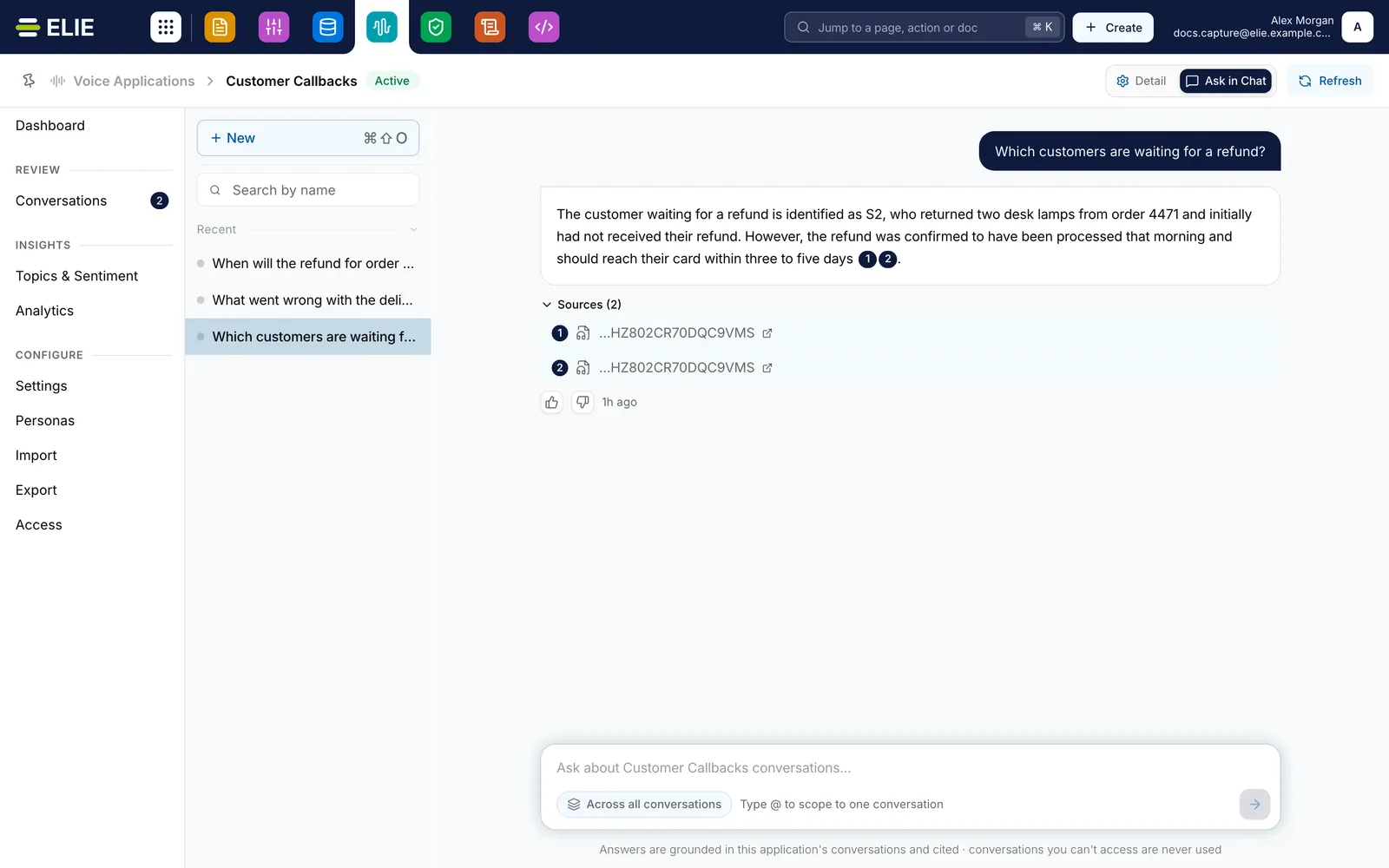
Customer Callbacks open on Ask in Chat: History on the left with three chats, Which customers are waiting for a refund? selected, and its answer about the customer who returned two desk lamps from order 4471, with source badges 1 and 2 and Sources (2) open below it. EnlargeOpen the sources
Numbered badges in a finished answer, and Sources with its count underneath, each open a passage behind the answer in a panel beside the chat. Its arrows step through the other sources.
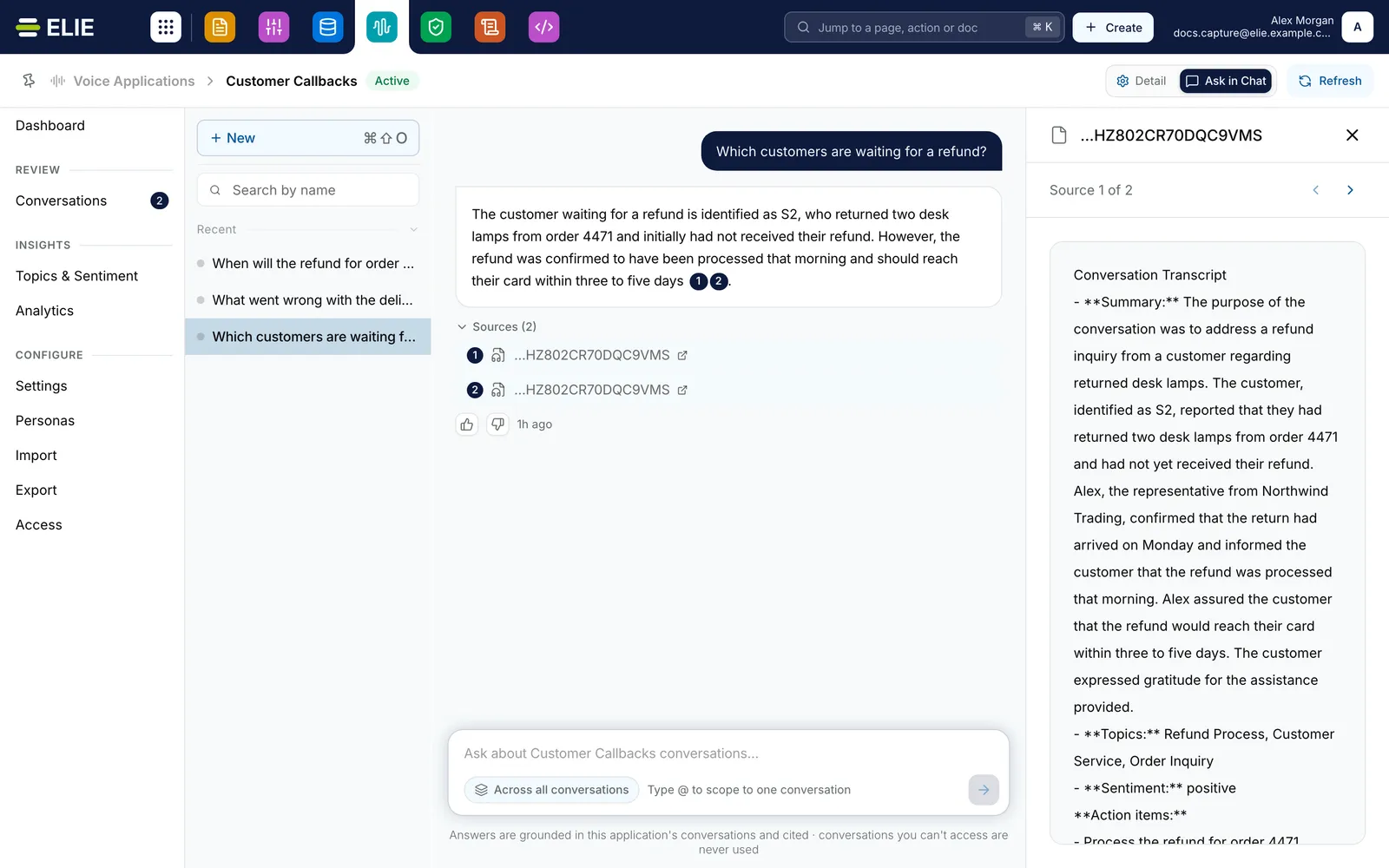
The same answer with its first source open in a panel beside the chat, showing Source 1 of 2 and the call summary it came from. EnlargeRate it, or come back to it
Select Helpful or Not helpful; a thumbs-down asks What went wrong?. Chats are kept under History on the left, with Pinned above Recent. Select New to start another; on a chat, the icons pin, rename or delete it.


What success looks like
- The answer ends with Sources and the number of passages it used.
- Thanks for your feedback. confirms a rating.
- The chat is still under History after you leave and come back, and the newest three also appear under Recent chats on the module's Overview.
How the scope works
Across all conversations, chat searches every call in the application's knowledge base. Scoped to one conversation, it answers from that call's transcript and outputs alone. Changing the scope part-way through a chat adds a line saying so, and the next question uses the new scope. Chat never reaches beyond this application's knowledge base. Who may use chat at all is set per role, department and group on the application's Access page. Ctrl+Shift+O (⌘⇧O on a Mac) also starts a new chat.
If something goes wrong
| Symptom | Likely cause | What to do |
|---|---|---|
| There is no Ask in Chat, and a saved chat link opens Dashboard instead. | No knowledge base is attached, Chat enabled is off, or your role cannot use chat here. | See Attaching a knowledge base and Access. |
| The page reads Chat is unavailable. | You have lost access to the application's knowledge base. | Ask a tenant administrator for access to it. |
| A conversation you want is not in the @ list. | It is still processing, or it failed. | Wait for it to finish, or check its status on Conversations. |
| The answer is tagged Stopped at: with a reason. | Nothing relevant enough was found. | Rephrase the question using words the callers would have used. |
| A source reads This source is no longer available to you. | You cannot open that passage any more. | Ask about it in a different way, or ask an administrator. |
Next
- Attaching a knowledge base - what chat answers from.
- The Voice IntELIEgence overview - Ask ELIE across applications.
- Asking a knowledge base directly - chat outside Voice IntELIEgence.