Voice analytics
Analytics breaks an application's calls down by day, by channel and by agent. It carries the same headline figures as the Dashboard, and it is always in the menu, whichever outputs the application produces.
- The Voice IntELIEgence app in your top bar.
- This permission: Voice · Analytics - View.
- An application with conversations that have finished processing. Agent figures also need agents identified on those calls.
If Voice IntELIEgence isn't in your top bar, your role can't view it or your plan doesn't include it. Ask a workspace administrator, or see Permissions and module visibility.
Steps
Open Analytics
Select Analytics in the application's menu.
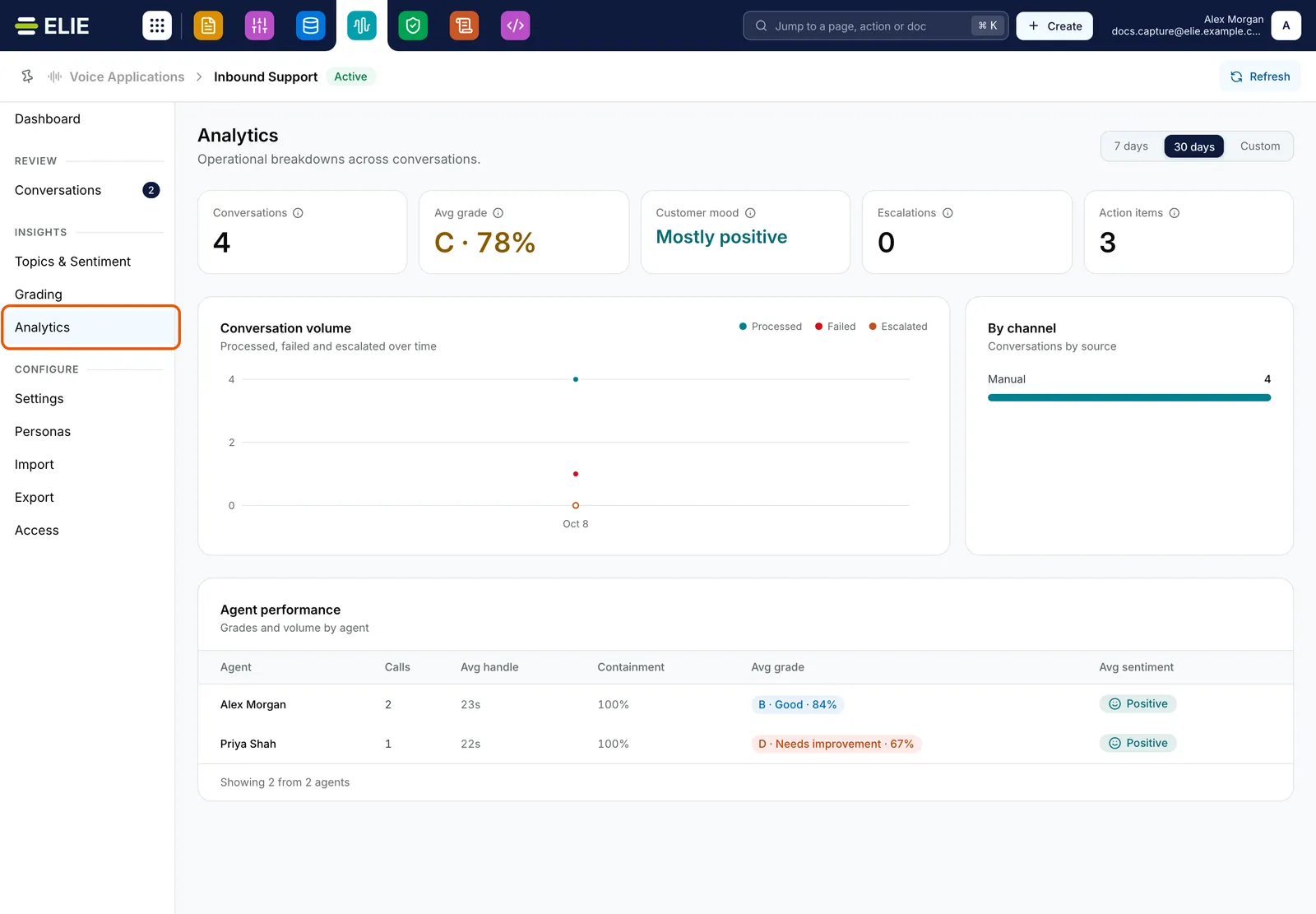
Analytics for Inbound Support with Analytics ringed in the menu: the headline figures, conversation volume, calls by channel, and Agent performance for Alex Morgan and Priya Shah. EnlargePick the period
Choose 7 days, 30 days or Custom at the top right. It starts at 30 days, and every figure below covers only the calls in that period.
Read the figures and charts
The row of tiles matches the Dashboard. Conversation volume plots processed, failed and escalated calls per day. By channel counts calls by where they came from: Manual, Konnect (an import connector) or Api (the partner API).
Compare agents
Agent performance lists each identified agent with Calls, Avg handle (average call length), Containment (the share of their calls that did not escalate), Avg grade and Avg sentiment.

What success looks like
- The tiles and Conversation volume reflect the period you picked.
- Agent performance has a row for each identified agent, or reads No agent activity in this window.
What counts as an escalation
A call counts as escalated when the analysis flags the customer as escalating. A call whose processing failed is counted as failed, not as an escalation, so a run of failures does not lower an agent's Containment. Calls with no identified agent are left out of Agent performance but still count everywhere else.
If something goes wrong
| Symptom | Likely cause | What to do |
|---|---|---|
| The page reads No analytics yet. | Nothing has been processed in this application in the period. | Select View conversations and check their status, or pick a wider period. |
| No agent activity in this window | No call in the period has an identified agent. | Enrol agents' voices or name the agent on each call. See Managing personas. |
| Avg grade or Avg sentiment shows a dash. | Grade or Topics & sentiment was off for those calls. | Turn the output on. Calls already processed are not analysed again. |
| The numbers changed between visits. | Calls were still processing, and figures are worked out afresh each time. | Look again once processing has finished. |
Next
- Voice application dashboard - the same figures with what needs attention.
- Grading conversations - the scores behind Avg grade.
- Topics and sentiment - the mood behind Avg sentiment.