Who can see a voice application
Access to Voice IntELIEgence works at two levels. A person's role, set in Access Control, decides whether they can open the module and see its applications. Inside each application, its Access page decides what each role, department or group can do there: read conversations, review them, change settings and so on.
- The Voice IntELIEgence app in your top bar.
- You must be a tenant administrator or the application's owner (the person who created it). Nobody else sees Access.
If Voice IntELIEgence isn't in your top bar, your role can't view it or your plan doesn't include it. Ask a workspace administrator, or see Permissions and module visibility.
Steps
Open Access
Open the application and select Access, the last item in its menu.
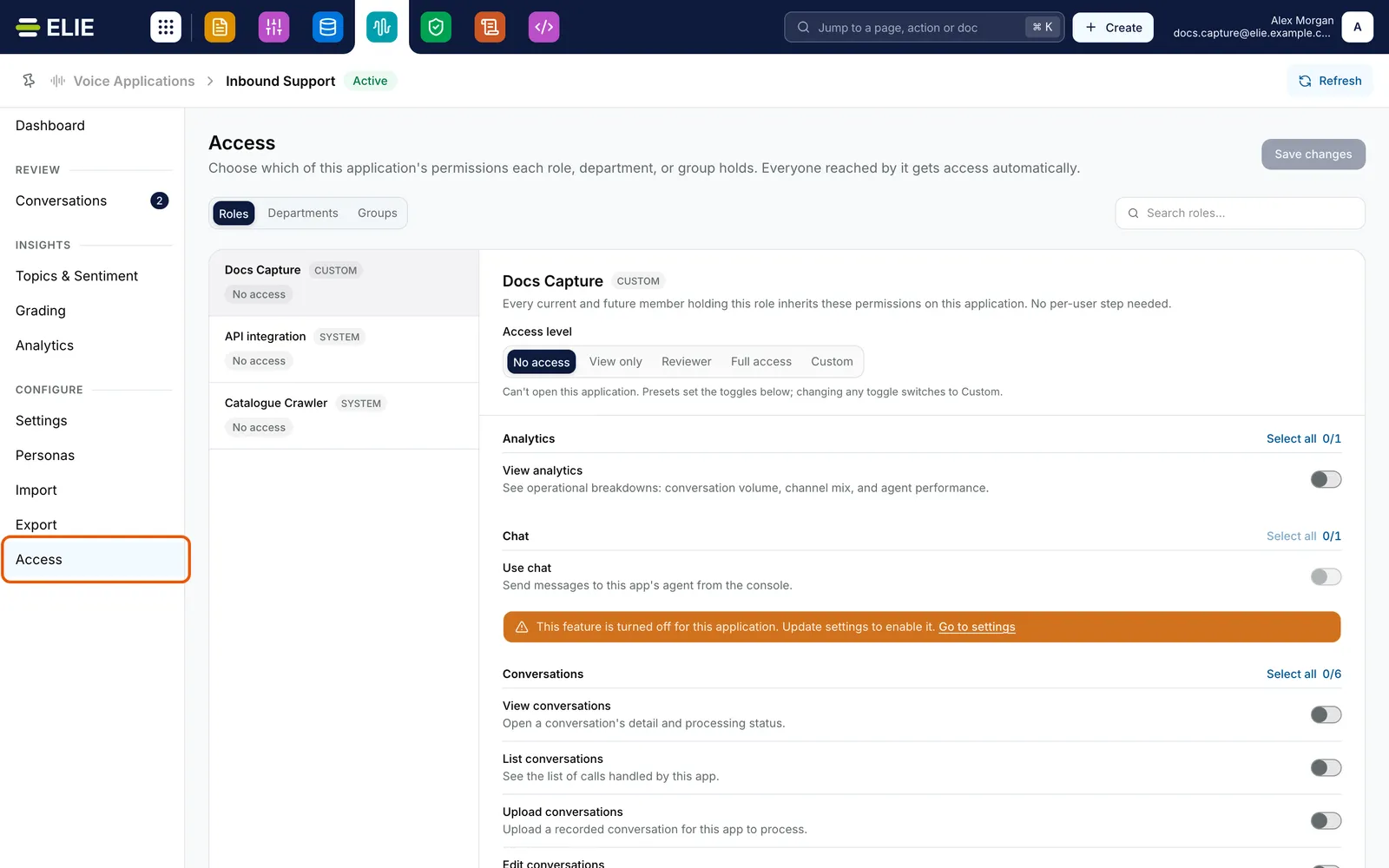
Inbound Support's Access page with Access ringed in the menu: the Roles tab listing roles with their access level, and the selected role's Access level strip above its switches grouped by area. EnlargeChoose who
Pick Roles, Departments or Groups, and search if the list is long. Roles lists only roles that can already open Voice IntELIEgence (they hold Voice · Application - View); Tenant Administrator is left out because it holds everything anyway. Each entry shows its level, or No access. Select one.
Pick an access level
Under Access level, choose No access, View only, Reviewer (view, plus approve, flag and retry conversations), Full access or Custom. The level sets the switches below.
Fine-tune the switches
The switches are grouped by area, from Analytics to Transcript, each named for what it allows, such as List conversations or Edit outputs. Select all and Clear all work on one area. Changing any switch makes the level Custom.
Save
The top of the page now reads Unsaved changes. Select Save changes, or Discard to put the switches back. Everyone in that role, department or group gets the change, including people who join it later.
Check their module access
For anyone who cannot open Voice IntELIEgence at all, edit their role in Access Control and grant Voice · Application - View and Voice · Application - List. Creating applications needs Voice · Application - Create, and retiring one Voice · Application - Delete.
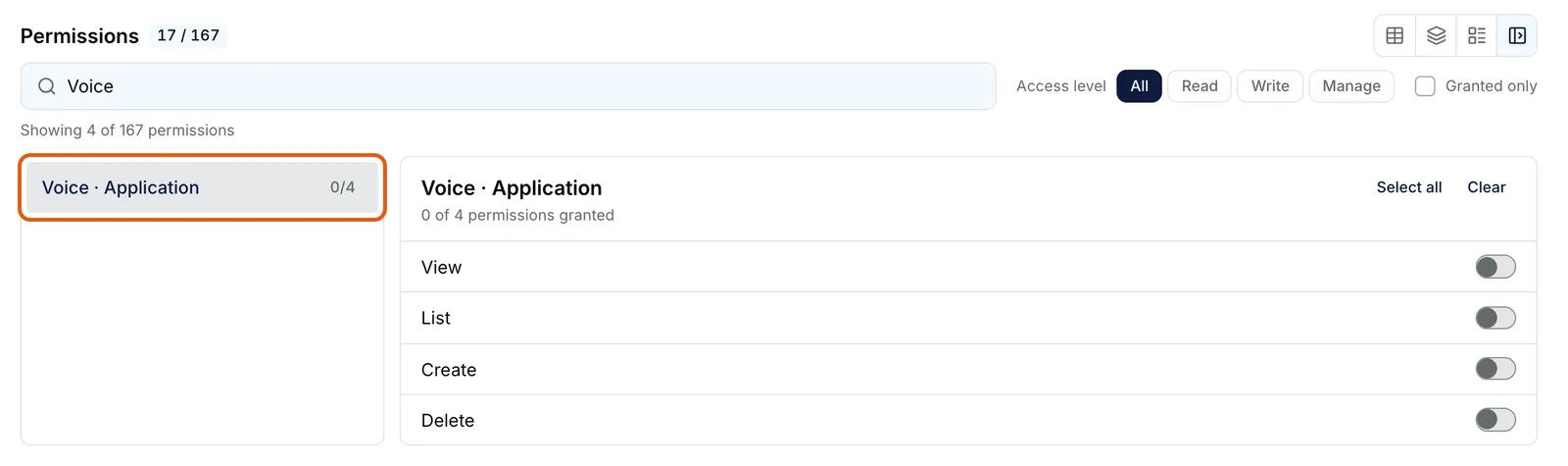
A role's Permissions in Access Control, searched for Voice, with Voice · Application ringed and its View, List, Create and Delete switches off. Enlarge


What success looks like
- Permissions updated. appears, and the entry on the left shows its new level.
- People in that role, department or group see the matching items in the application's menu the next time they open it.
What each area unlocks
| Area | What it lets people do |
|---|---|
| Dashboard, Analytics, Grading, Topics & Sentiment | See that page. |
| Conversations | List, open, upload, edit (including approving), re-run and remove conversations. |
| Transcript | Read the transcript and play the recording; with update, correct the speakers. |
| Outputs | See the summary and action items; with update, edit them. |
| Chat | Use chat. |
| Personas | See, enrol, add samples to and remove agents' voices. |
| Import, Export | See, connect and disconnect sources and destinations. |
| Settings | See and change the application's settings. |
Tenant administrators and the application's owner always hold every permission in it. An area for a feature the application has switched off, such as Grading with Grade off, is greyed out with Go to settings.
If something goes wrong
| Symptom | Likely cause | What to do |
|---|---|---|
| Access is not in the menu, or it reads You don't have access to this screen. | You are neither a tenant administrator nor the application's owner. | Ask one of them. |
| Voice IntELIEgence is missing from someone's top bar. | Their role lacks Voice · Application - View. | Grant it on their role in Access Control. |
| They can see the application but it reads You don't have access to this application. | Nothing has been granted to them in this application. | Give their role, department or group a level here. |
| Selecting another entry asks Unsaved Changes. | The one you were editing has changes you have not saved. | Select No, Stay and save, or Yes, Leave to drop them. |
| The page reads Could not check your permissions for this application. | A temporary problem reaching the security service. | Reload the page. |
Next
- Roles - module access for Voice IntELIEgence.
- Departments and Groups - the other two kinds of grant.
- Exporting conversation data - what leaves the workspace, and who may send it.