A tenant's billing and API limits
A new tenant gets a billing account as it is created, but with no credit, so it cannot run paid work yet. A tenant created before billing was in place may have no account at all. The tenant's Billing section closes either gap without leaving the page, and holds the tenant's partner API limits.
- Access to Tenants in the staff console.
- These permissions: billing.tenant.read, billing.tenant.manage, billing.grant.create.
- A tenant that is not Offboarding or Deleted. API limits need only a staff sign-in.
If an area or a button is missing, your staff role does not include it. Ask a platform administrator to extend your access.
Steps
Open the tenant’s Billing section
Open the tenant from Tenants, then select Billing in the Settings rail. A tenant with no account shows No billing account yet.
Set up billing
Select Set up billing. It reads Setting up…, and when the account exists the Grant credits to this tenant drawer opens by itself.
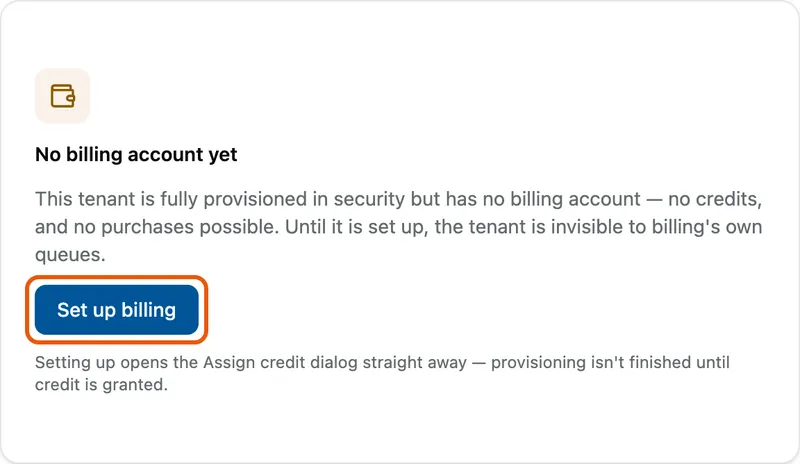
The No billing account yet card, explaining the tenant has no credits and no purchases possible, with Set up billing ringed. Enter the grant
Enter Credits (up to six decimal places) and choose Expires on. Unspent credit lapses on that date. The box above restates the amount, the tenant and the expiry.
Give a reason and grant
Type a Reason, then select Grant credits. For a tenant that already has an account, start from Assign credit instead.

What success looks like
- Credits granted appears. The drawer stays open with Credits and Expires on cleared but Reason still filled; close it with Cancel.
- The section shows Credit balance, Service state, Enforcement mode and Security tier, plus Debt when the tenant owes credit.
- Links to Ledger, Usage, Rate overrides and Enforcement controls open the tenant's billing account.
A red banner reading 12.000000 credits held. A credit denial is blocking postings for this tenant. means some of the tenant's charges are on hold; Review opens the held charges queue.

API limits
API limits sets how many partner API requests this tenant may make per second: Writes / second, Reads / second and Exports / second, each a whole number from 1 to 10,000. A badge says whether the tenant has a Tenant override or is Inherited from global default. Change a value and select Save override, or select Reset to default to drop the override. Both ask for a reason before Save or Reset, and changes take effect within about a minute.
If something goes wrong
| Symptom | Likely cause | What to do |
|---|---|---|
| No Set up billing or Assign credit button. | The tenant is read-only. | Nothing to do; a read-only tenant's billing cannot be changed here. |
| Billing information cannot be loaded right now. The rest of this tenant's settings are unaffected. | The billing service did not answer. | Try again later. The tenant itself is fine. |
| Enter an amount above zero and an expiry date. | Credits is zero or Expires on is empty. | Fill both. |
| Each limit must be a whole number between 1 and 10000. | An API limit is out of range or has decimals. | Correct the value. |
Next
- Managing a tenant's billing account - the full billing view of one tenant.
- Billing in the staff console - the staff billing scopes.
- Granting a tenant an entitlement - what the credit can be spent on.