Rating an answer and reviewing feedback
Every finished answer in chat carries a pair of thumbs, and every rating lands on that knowledge base's Feedback section: the quickest way to see which answers people trust.
- The Knowledge Base app in your top bar.
- These permissions: Knowledge Base · Chat - Execute, Knowledge Base · Analytics - Read.
- Rating an answer needs Chat - Execute, the same permission as asking. Reviewing the ratings needs Analytics - Read.
If Knowledge Base isn't in your top bar, your role can't view it or your plan doesn't include it. Ask a workspace administrator, or see Permissions and module visibility.
Steps
Rate the answer
Under a finished answer, select the thumbs up, Helpful. It is sent straight away.
Say what went wrong
The thumbs down, Not helpful, opens What went wrong?. Pick Inaccurate, Out of date, Not relevant or Incomplete and add a note if you like, both optional, then select Submit, or Cancel.
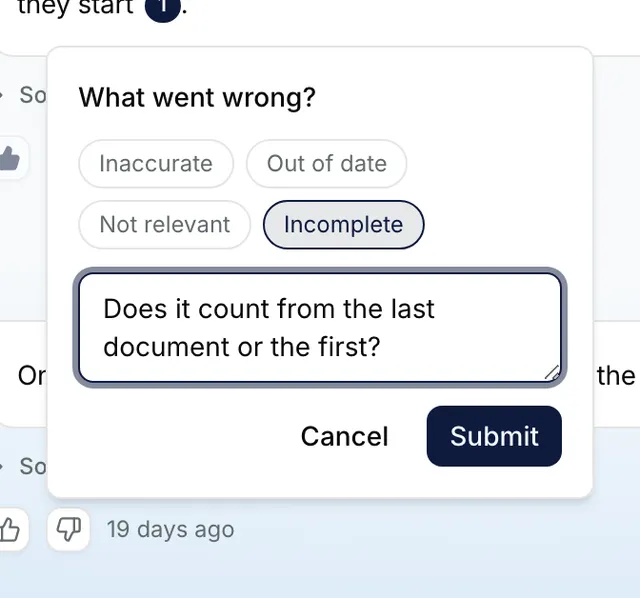
The What went wrong? popover under an answer, with Incomplete picked, a note typed, and Cancel and Submit. Open the review list
Open the knowledge base and select Feedback. The cards give the Total Feedback, the Positive Rate with the up and down counts, and the Active Users who rated. Rows give the Query, Rating, Reason, Comment, the User, or System when there was none, and when it was Submitted.
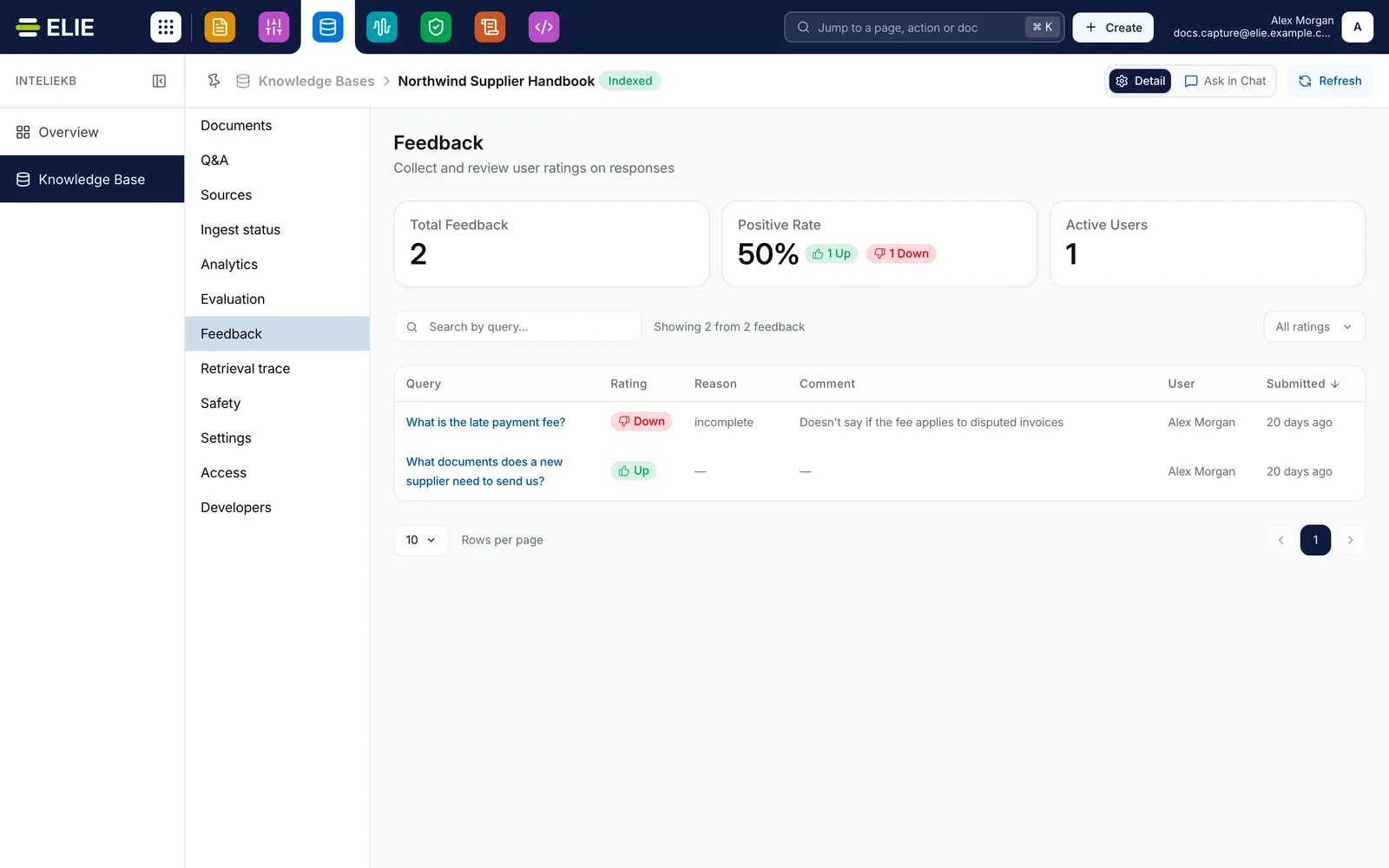
The Feedback section of Northwind Supplier Handbook: Total Feedback 2, Positive Rate 50% with 1 Up and 1 Down, Active Users 1, then What is the late payment fee?, rated Down, reason incomplete, with a comment, and What documents does a new supplier need to send us?, rated Up, both by Alex Morgan. EnlargeNarrow the list
The rating filter, All ratings, Thumbs up or Thumbs down, and Search by query… both run on the server, so they cover every record.
Open one record
Select a Query. The page shows the Answer the person received, their Comment, a Details card (Rating, Provenance, Reason, User, Submitted and Conversation) and the Sources the answer used; select a source to read its passage.
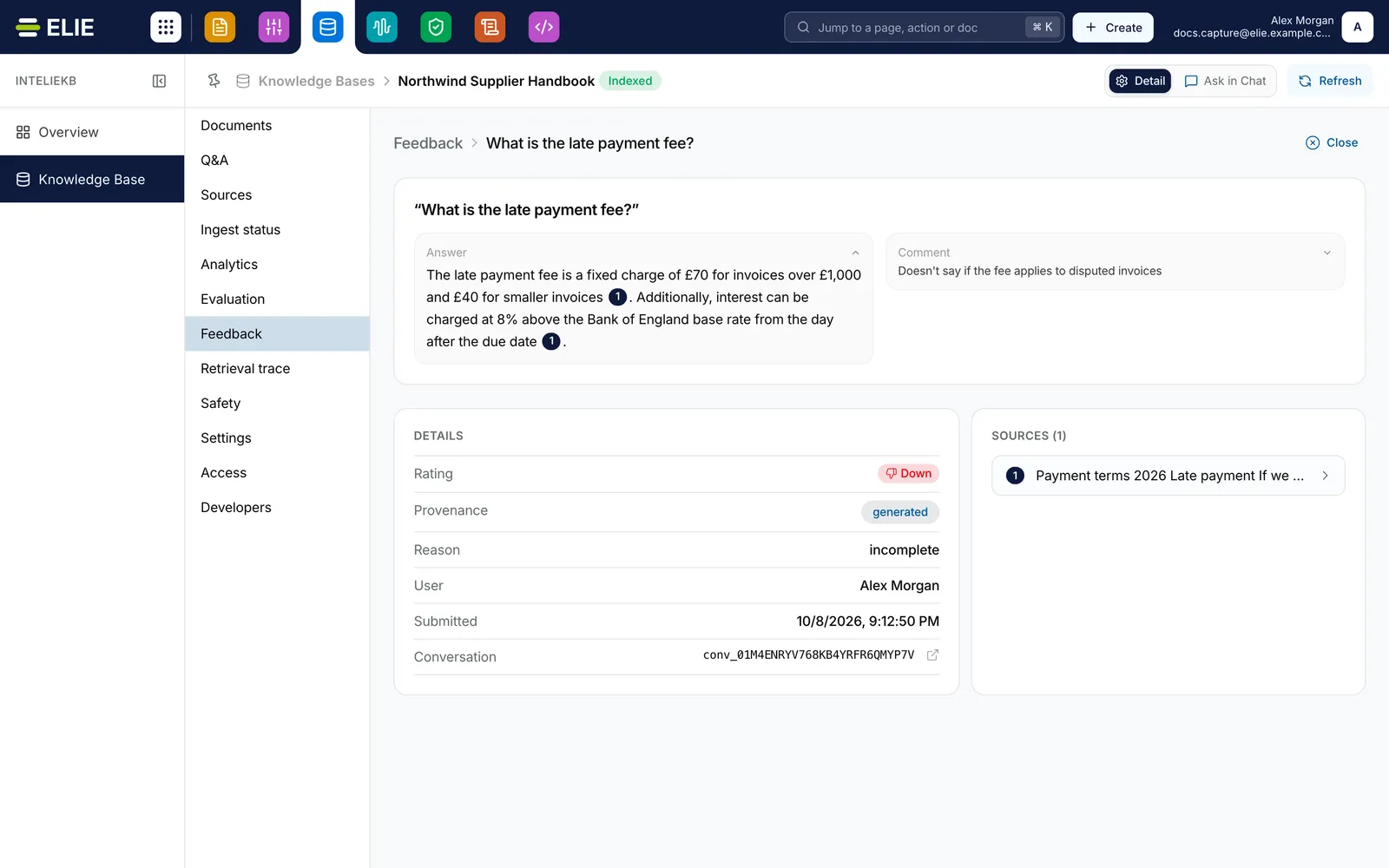
The feedback record for What is the late payment fee?: the Answer the person received, their Comment, a Details card with Rating Down, Provenance, Reason incomplete, User, Submitted and the Conversation with a link to open it, and Sources (1), a passage from Payment terms 2026. Enlarge


What success looks like
- The thumb you chose fills in and Thanks for your feedback. appears.
- The rating is listed on Feedback with its Reason and Comment.
- When you reopen the conversation later, your rating is still shown on the answer.
Only the person who asked sees the answer
The Answer and the Sources come from the person's own conversation, which nobody else can open. So you see them on your own ratings, with Open conversation beside the conversation's id; on anyone else's, the record says the answer and source detail are unavailable because you are not the owner of that conversation. A rating is final: both thumbs lock once you choose, and there is no undo.
If something goes wrong
| Symptom | Likely cause | What to do |
|---|---|---|
| Could not record feedback. Please try again. | The rating didn't reach the server, so the thumb reverts. | Rate it again. |
| You do not have permission to do that. when you rate. | Your role lacks Knowledge Base · Chat - Execute for this knowledge base. | Ask a workspace administrator. |
| Feedback is missing from the menu. | Your role has no Knowledge Base · Analytics permission. | Ask a workspace administrator. |
| Active Users ends in a plus sign. | It is counted from the 200 most recent ratings. | Treat it as at least that many. |
| No feedback matches your search or filter. | Your filter or search excludes every record. | Set the filter back to All ratings and clear the search. |
Next
- Reading a retrieval trace - what was retrieved behind a question.
- Curated question and answer pairs - fixing the wording of an answer that keeps missing.
- Running an evaluation - scoring against known answers.