Removing documents
Removing takes a document off its orchestrator's list, out of its group and out of search. You can remove one document from the list or from the document itself, or several at once.
- The IntELIEDocs app in your top bar.
- This permission: IntELIEDocs · Document - Delete.
- A document that has finished processing and is not mid-export.
If IntELIEDocs isn't in your top bar, your role can't view it or your plan doesn't include it. Ask a workspace administrator, or see Permissions and module visibility.
Steps
Remove one from the list
On the orchestrator’s list, select the Remove icon under Actions on the row, then Remove in the Remove Document dialog.
Or remove it from the document
With the document open, select Remove in its action bar, then Remove in Remove Document. You return to the list.
Remove several
Tick the rows you want, or Select all for the page. The toolbar swaps to Remove; select it, then Remove in the Remove Documents dialog, which counts your selection.
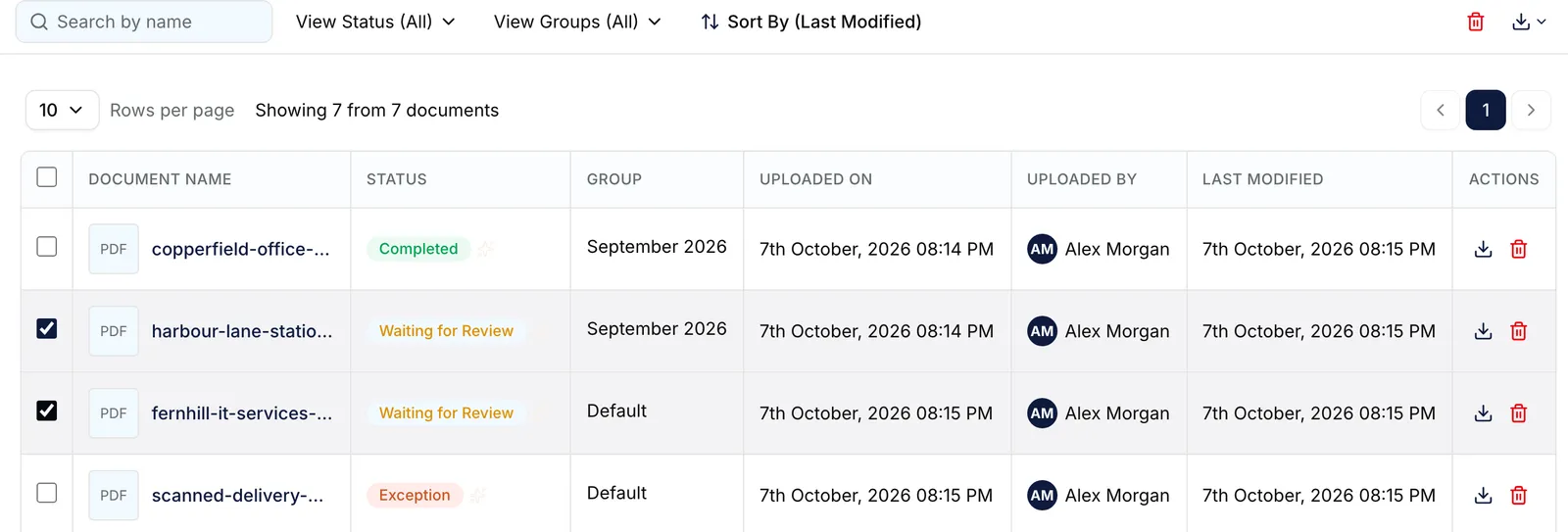
Two documents ticked in the list, with the bulk remove and download actions at the right of the toolbar. EnlargeCheck the result
The button reads Removing… while it works. A bulk removal then reports what it removed and what it skipped.

What success looks like
- Document removed successfully or Documents removed successfully. appears.
- The rows leave the list, and the group no longer counts them.
What can be removed
A document can be removed once it has stopped moving: Waiting for Review, Completed, Password Required, Exception, Exported, Partially Exported or Export Failed. While it is Processing, Exporting or Queued for Export, the row's Remove icon is greyed out, and so is the button on the document page. A bulk selection is not checked first: Elie removes what it can and skips the rest.
Nothing in IntELIEDocs brings a removed document back. Check the selection before you confirm.
If something goes wrong
| Symptom | Likely cause | What to do |
|---|---|---|
| Remove is greyed out; the row's tooltip reads Document is still processing. | The document is mid-pipeline or mid-export. | Wait for it to settle (select Refresh to check), then remove it. |
| No documents were removed. They may be processing or already submitted. | Every selected document was still moving. | Wait, select Refresh, and try again. |
| 3 deleted, 2 skipped (invalid status). | Some of the selection was still processing or exporting. | Re-check the Status of the documents still listed. |
| There is no Remove anywhere. | Your role lacks IntELIEDocs · Document - Delete. | Ask a workspace administrator. |
Next
- Document statuses - which statuses are still moving.
- Document groups - removing a group once it is empty.
- Finding and reading a document - selecting rows on the list.