Reading an orchestrator's dashboard
Every orchestrator has a Dashboard beside its Documents and Groups. It counts how documents moved through the orchestrator over a date range, so you can see the backlog and the failures before you open a list.
- The IntELIEDocs app in your top bar.
- This permission: IntELIEDocs · Document - List.
- An orchestrator that has received documents. Without this permission the Dashboard tab is hidden, and selecting an orchestrator opens its documents instead.
If IntELIEDocs isn't in your top bar, your role can't view it or your plan doesn't include it. Ask a workspace administrator, or see Permissions and module visibility.
Steps
Open the dashboard
On the IntELIEDocs Home page, select an orchestrator’s card. It opens on Dashboard. The tabs underneath switch to Documents and Groups, each with its count.
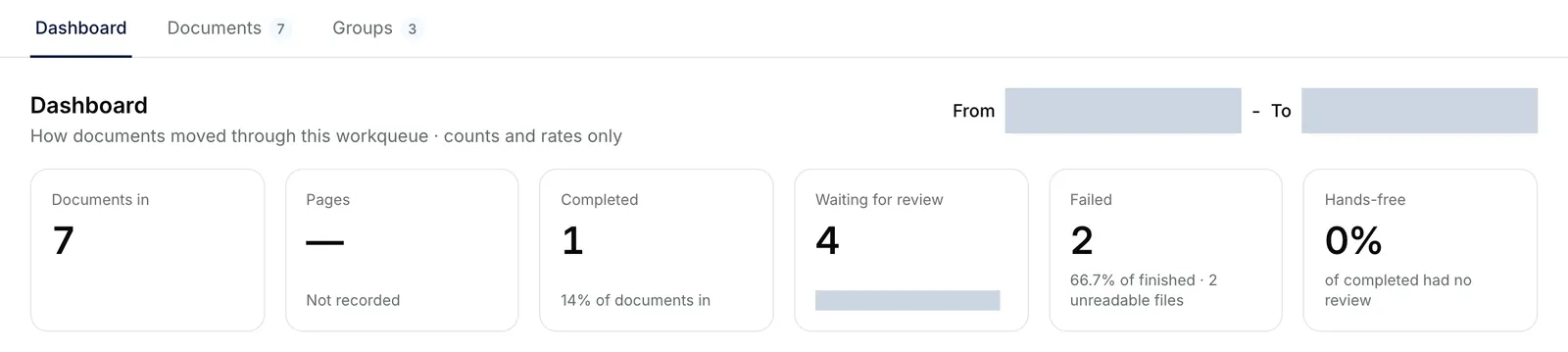
The Dashboard tab of the Purchase Invoices extract, with Documents and Groups tabs beside it, the From and To dates, and six tiles: Documents in, Pages, Completed, Waiting for review, Failed and Hands-free. EnlargeChoose the dates
Set From and To. The dashboard starts on the last 30 days and accepts a range of up to 366 days.
Read the tiles
The tiles count Documents in, Pages, Completed, Waiting for review and Failed. The last tile is Hands-free, the share of completed documents that needed no review, or Boxes burned on a Smart Redact.
Read the panels
Documents per day and Where documents are now sit under the tiles. A Smart Extract or Smart Queue then explains Why documents went to review, Time to finish, Required fields left empty and Confidence per field. A Smart Class swaps the two field panels for Documents per category and Confidence by category. A Smart Redact shows Entities found, by type, Found by and Boxes added by hand instead.
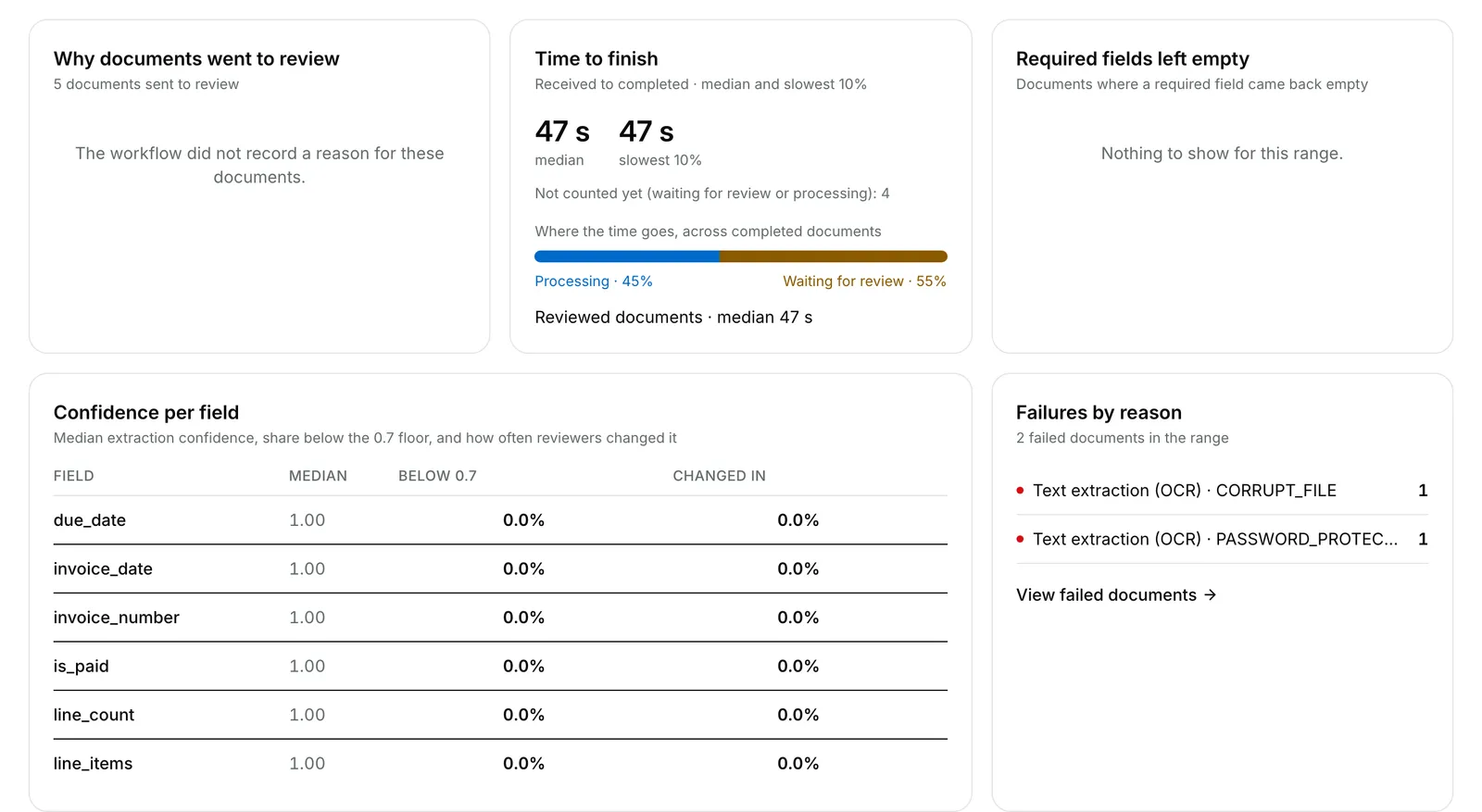
The panels under the chart: Why documents went to review, Time to finish with a median and the slowest 10%, Required fields left empty, Confidence per field and Failures by reason. EnlargeOpen the documents behind a number
Under Failures by reason, select View failed documents for the list filtered to Exception.


What success looks like
- The tiles and charts redraw for the dates you chose.
- The numbers update by themselves every 30 seconds while the tab is open, unlike the documents list.
What the numbers cover
Documents in counts the documents received in your range, and Completed and Failed are what happened to those documents. A PDF stopped at Password Required counts under Failed, as an unreadable file, but View failed documents leaves it out: filter the documents list by Password Required to find it. Documents the workflow recorded no review reason for make Why documents went to review read The workflow did not record a reason for these documents. Unlike the other tiles, Waiting for review ignores your dates: it reads Right now because it counts every document waiting on a person, whenever it arrived. So a range in which nothing arrived can still show a notice with View documents waiting for review. The dashboard shows counts and rates only, never what a document says.
If something goes wrong
| Symptom | Likely cause | What to do |
|---|---|---|
| There is no Dashboard tab, and the orchestrator opens on its documents. | Your role lacks IntELIEDocs · Document - List. | Ask a workspace administrator. |
| No documents in this period | Nothing was received between your dates. | Widen the range, or upload documents. |
| Choose a start and end date up to 366 days apart. | To is before From, or the range is too long. | Shorten the range. |
| Failed to load analytics. | The numbers could not be fetched. | Select Retry. |
| Original document views is missing on a Smart Redact. | It shows only to roles with IntELIEDocs · Original document - View. | Ask an administrator if you need it. |
Next
- Finding and reading a document - the Documents tab.
- Document statuses - what each status counted here means.