Resetting your password
Use this when you have forgotten your password or want a new one. There is no password setting inside the workspace, so you always change it from the sign-in page.
Steps
Start from the sign-in page
On the page headed Log in to your account, select Forgot password?, below Login. If you are signed in, sign out first.
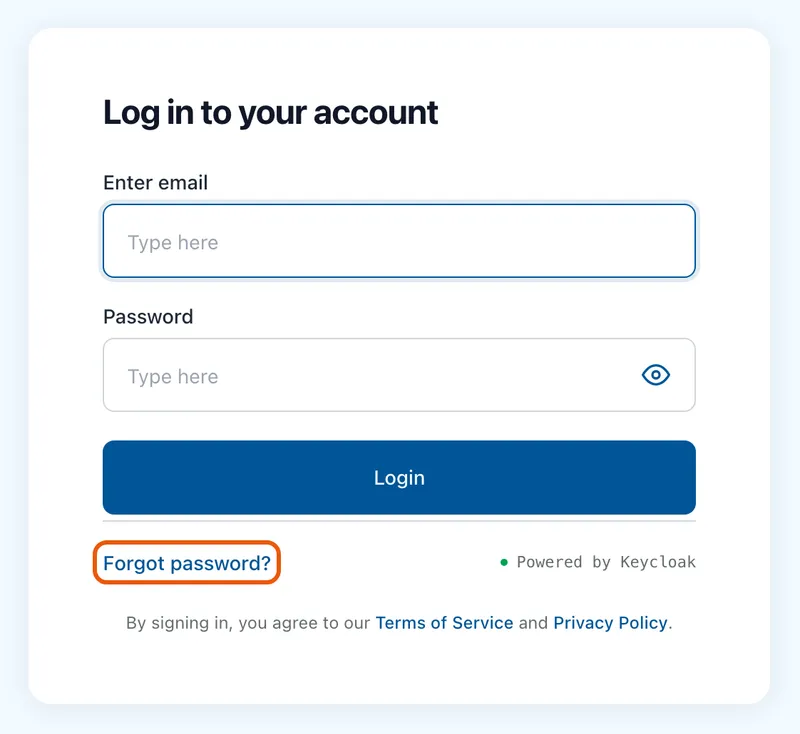
The Log in to your account card with Forgot password? ringed below the Login button. Ask for the link
On Forgot your password?, type your address in Email and select Send reset link. Check your email replaces the form. It says the same whatever address you type, so it does not confirm the address has an account.
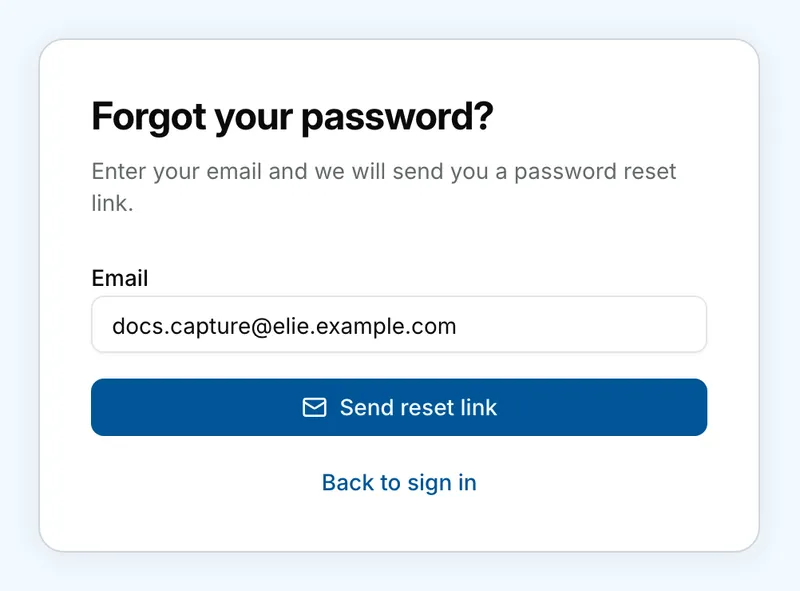
The Forgot your password? card with docs.capture@elie.example.com typed in Email, above Send reset link and Back to sign in. Open the email
Open the email with the subject _Reset your password_ and select Reset password in it within 30 minutes. The link works once. If you ignore the email, your password stays as it was.
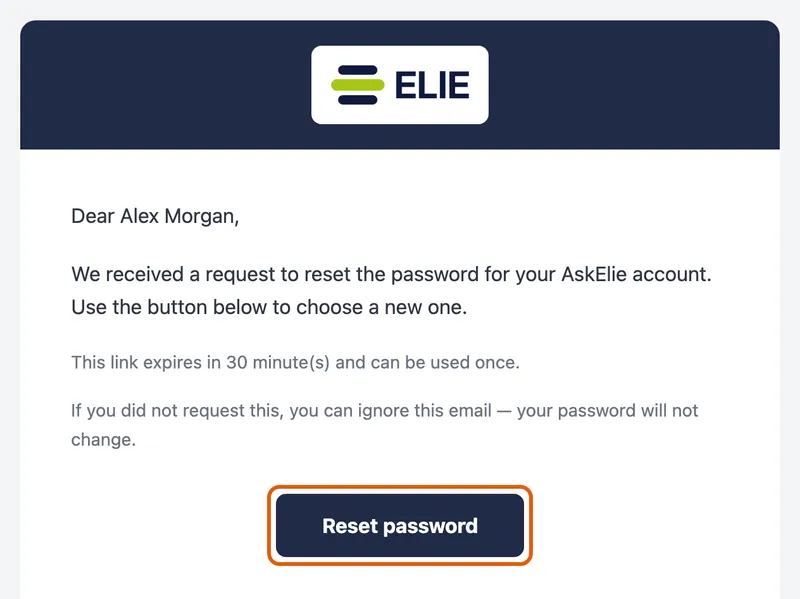
The reset email to Alex Morgan, saying the link expires in 30 minutes and can be used once, with the Reset password button ringed. Choose a new password
On Reset password, type the new password in New password and again in Re-enter password. It needs at least 8 characters, with a capital letter, a small letter, a number and a special character such as ! or #. The list under _Your new password must have:_ ticks off each rule as you type. Set new password stays greyed out until every rule is met and both boxes match.
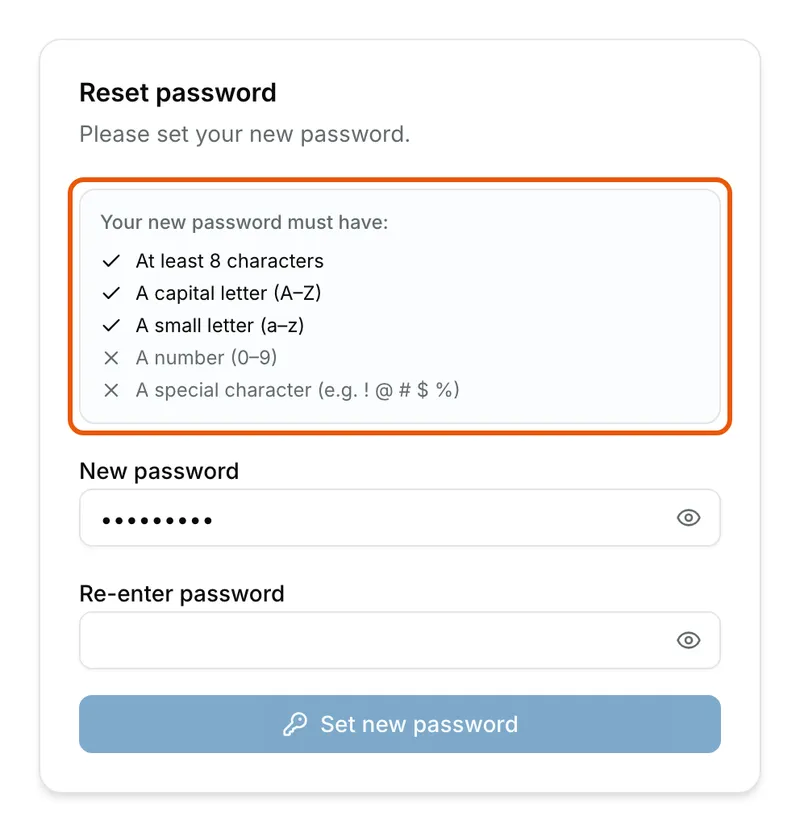
The Reset password card with part of a password typed: the list under Your new password must have is ringed, with At least 8 characters, A capital letter and A small letter ticked, A number and A special character still crossed, and Set new password greyed out. Sign in with it
Select Set new password. Password updated appears; select Continue to sign in, then sign in with your new password.
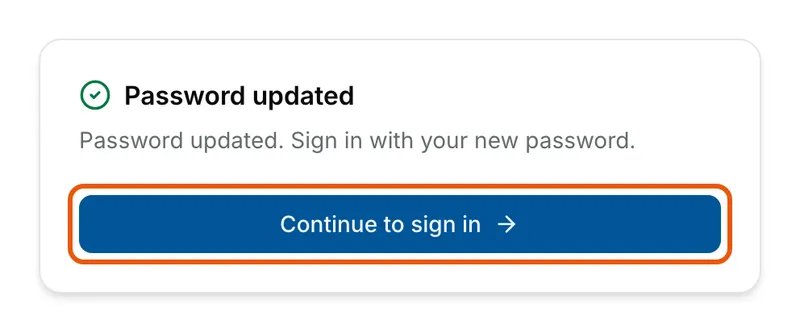
A card headed Password updated, telling you to sign in with your new password, with the Continue to sign in button ringed.


What success looks like
- Password updated appears, with Password updated. Sign in with your new password.
- The new password signs you in, and the old one no longer does.
An expired link still shows the form
The reset page does not check the link when it opens, so an expired or used link still shows a normal form. You only find out when you select Set new password: the page then says the link is invalid or has expired. Ask for a new link from Forgot password? and use it within 30 minutes.
If something goes wrong
| Symptom | Likely cause | What to do |
|---|---|---|
| The sign-in page has no Forgot password? link. | The sign-in page has not been told your organisation's Elie address. | Ask a workspace administrator to reset your password, or to report the missing link. |
| Check your email appeared, but no email arrives. | The address was mistyped, or it has no account. The page does not say which. | Check your spam folder, then try again with the address your invitation went to. |
| This reset link is invalid or has expired. Request a new one. | The link is more than 30 minutes old, or was used already. | Ask for a new link from Forgot password?. |
| Reset link is invalid instead of the form. | Your email program cut the link short. | Select Request a new link, then copy the whole link from the new email. |
| Passwords do not match. | The two boxes differ. | Use the eye buttons to show both, then retype. |
Next
- Signing in - the sign-in page step by step.
- Accepting an invitation - your first sign-in.
- Your profile - your account details.