Your profile and language
Your profile shows who you are in the workspace and holds the two things you set yourself: the name other people see, and the language Elie uses. Everyone can open it; no permission is needed.
Steps
Open your profile
Select your name or picture at the right of the top bar, then Account Settings. The page opens on Basic Details.
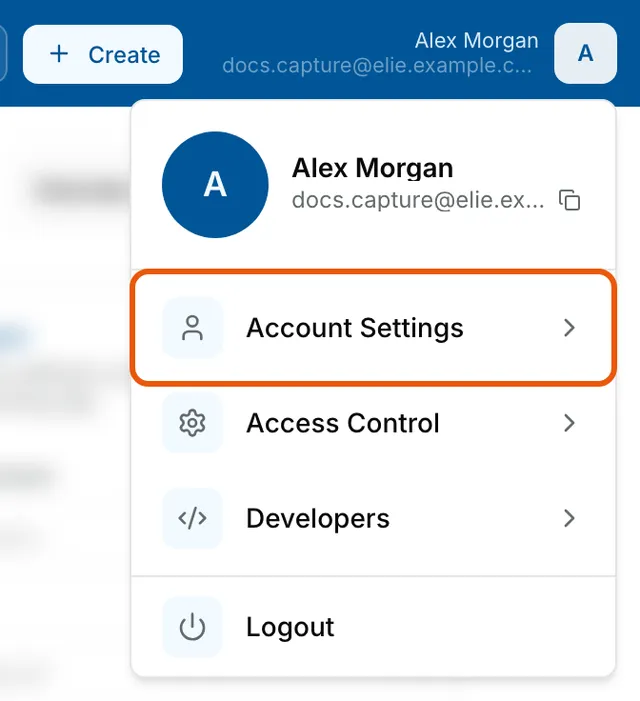
The account menu open under Alex Morgan's picture, with Account Settings ringed above Access Control, Developers and Logout. Check your details
Email, Roles, Departments and Groups are shown but cannot be changed here. A field is blank when nothing of that kind is assigned to you.
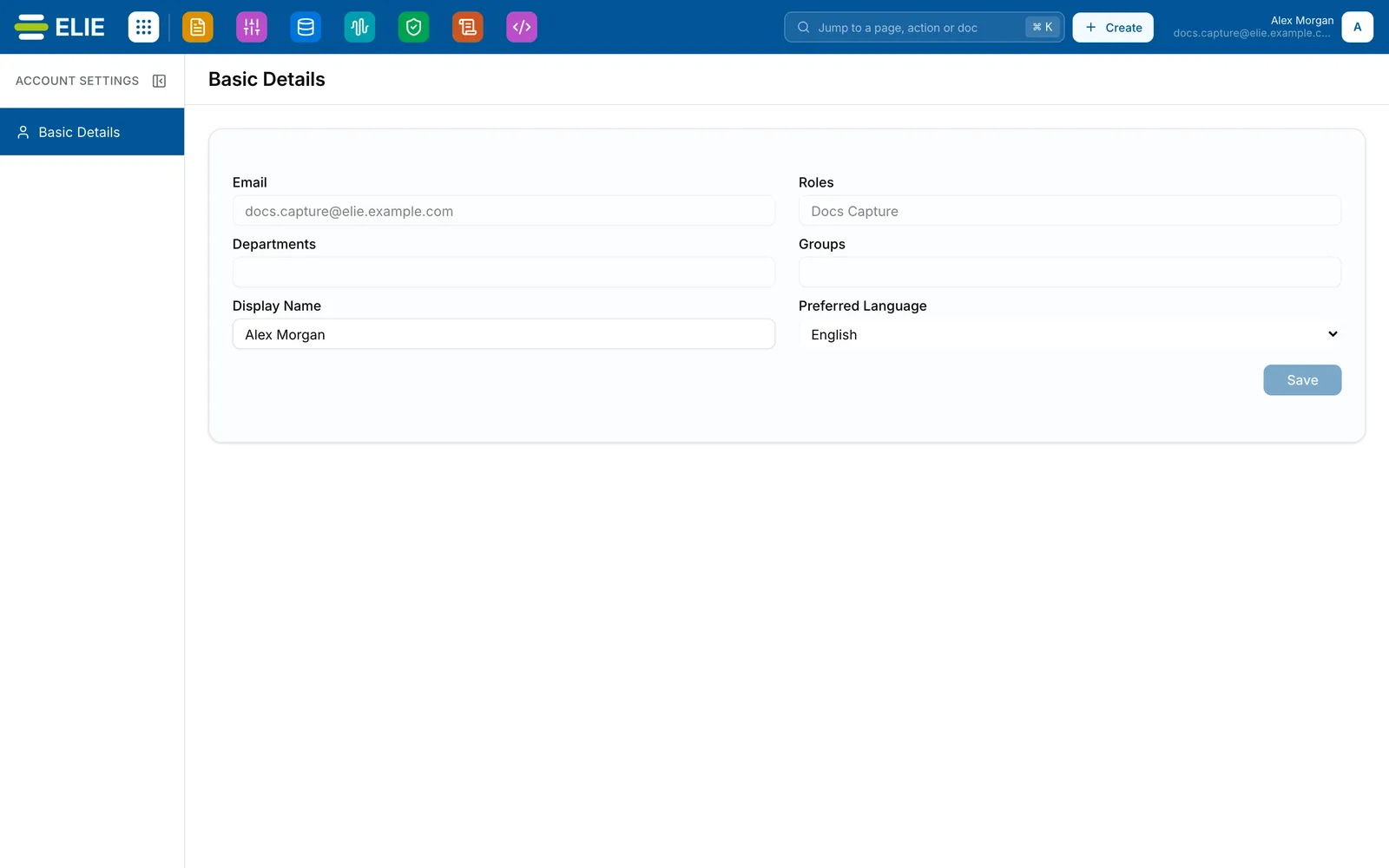
Account Settings open on Basic Details: Email docs.capture@elie.example.com and Roles Docs Capture, greyed out; Departments and Groups blank; Display Name Alex Morgan; Preferred Language English; and Save greyed out. EnlargeChange your display name
Edit Display Name. It is the name shown in the top bar and to other people, and it cannot be saved empty.
Choose your language
Set Preferred Language to English, Español or Deutsch. Nothing changes on screen until you save.
Save the change
Select Save. It stays greyed out until something has changed; a language change alone is enough.


What success looks like
- Profile updated appears.
- Your new name replaces the old one in the top bar straight away.
- A new language applies to the whole interface as soon as you save.
When a save does not land
If Save is refused, Elie usually shows a message saying why. A quiet screen is not proof the change was stored, though. If you do not see Profile updated, reload the page: the fields are read back from the server, so an old value means the change did not land.
If something goes wrong
| Symptom | Likely cause | What to do |
|---|---|---|
| Save stays greyed out. | Nothing has changed yet, or Display Name is empty. | Change a value. Display Name cannot be saved blank. |
| You select Save and nothing happens. | The change was refused without a message. | Reload the page and check the field. If it kept the old value, ask a workspace administrator. |
| Roles, Departments or Groups are blank. | Nothing of that kind is assigned to you. | You cannot set these yourself. Ask a workspace administrator. |
| After signing out, Elie is back in English. | Signing out resets the language. | Your Preferred Language returns as soon as you sign in again. |
Next
- A tour of your workspace - the top bar and moving between apps.
- What your role can see - why a page you expect may be unavailable.
- How access control works - what roles, departments and groups mean.