Tracking invitations
Invitations lists the invitations nobody has accepted yet, including ones whose link has expired. From there you can send the same person a fresh link or cancel an invitation.
- The Access Control app in your top bar.
- These permissions: Identity & Users · Invitation - List, Identity & Users · Invitation - Create, Identity & Users · Invitation - Delete.
- At least one invitation sent. Resend needs Identity & Users · Invitation - Create; Revoke needs Identity & Users · Invitation - Delete.
If Access Control isn't in your top bar, your role can't view it or your plan doesn't include it. Ask a workspace administrator, or see Permissions and module visibility.
Steps
Open Invitations
In Access Control, select Invitations in the rail. Each row shows USER NAME, EMAIL, STATUS, the pre-assigned ROLE, DEPARTMENT and GROUP, and EXPIRES.
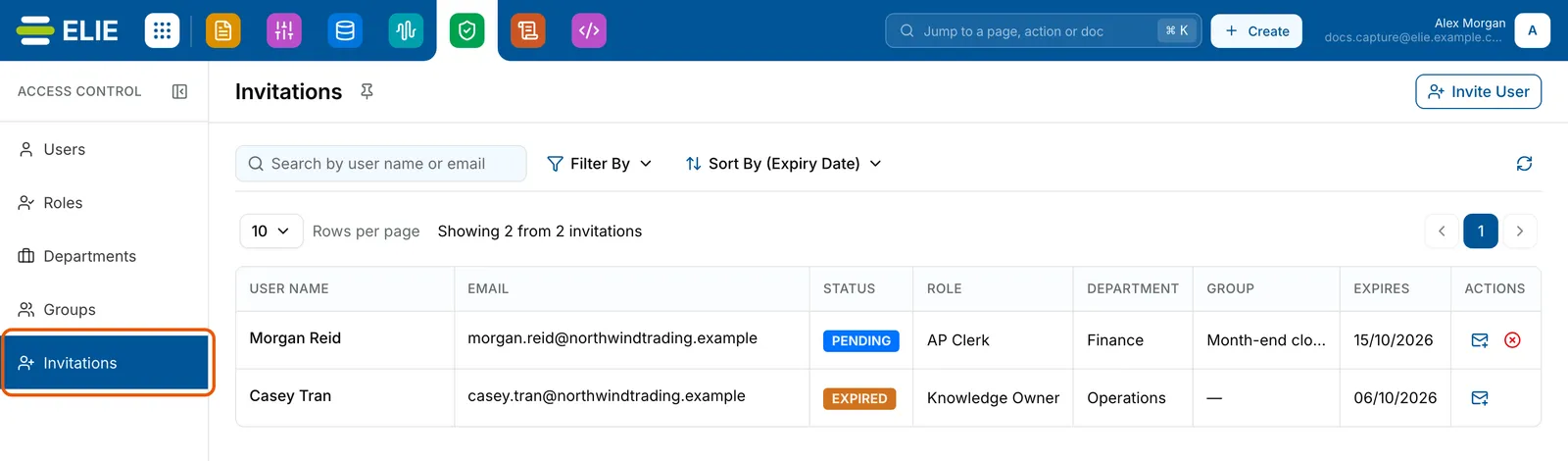
The Invitations page with Invitations ringed in the rail. Two invitations: Morgan Reid, PENDING, AP Clerk, Finance, Month-end close, expiring 15/10/2026; and Casey Tran, EXPIRED, Knowledge Owner, Operations, expired 06/10/2026. EnlargeFind the invitation
Type a name or address into Search by user name or email. To narrow further, select Filter By and use its Status, Role, Department and Group tabs, then Apply. Sort By orders by Name, Email or Expiry Date.
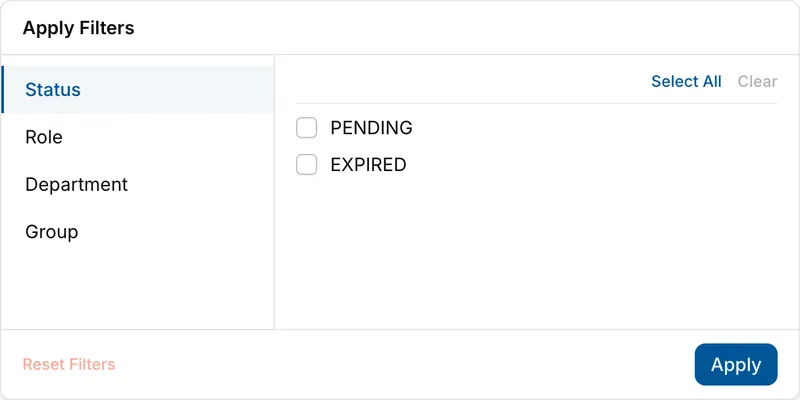
The Filter By panel on Invitations with its Status tab open, offering PENDING and EXPIRED, beside the Role, Department and Group tabs. Resend it
Select Resend under ACTIONS on a PENDING or EXPIRED row. There is no confirmation: the person gets a new email, any link sent before stops working, the expiry restarts, and the row reads PENDING again with the same role, department and group.
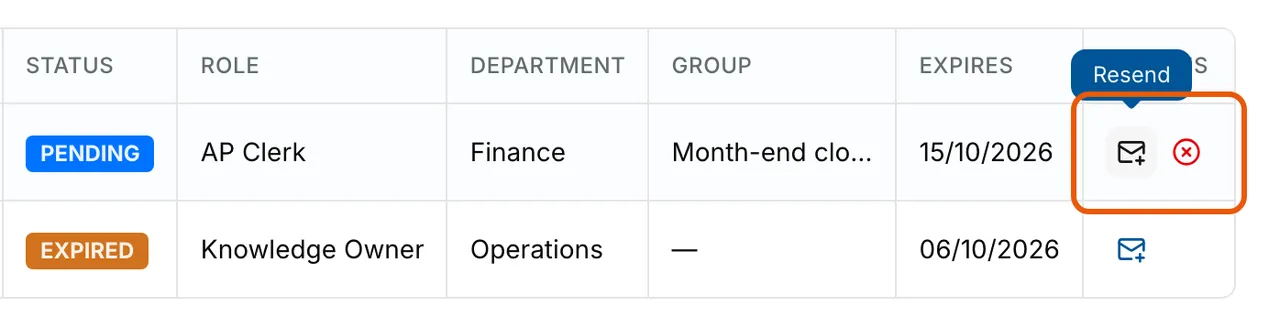
The two invitation rows from STATUS rightwards. The ACTIONS cell of Morgan Reid's PENDING row is ringed, with the tooltip Resend over its envelope icon beside the red Revoke icon. Casey Tran's EXPIRED row offers only Resend. Or revoke it
On a PENDING row, select Revoke, then Yes, Revoke in Revoke Invitation?. The link stops working and the row leaves the list. Select Close on the confirmation.
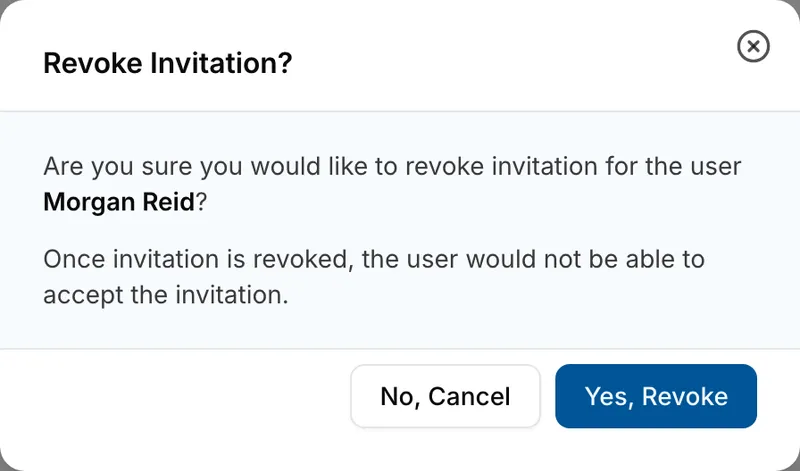
The Revoke Invitation? dialog asking whether to revoke the invitation for Morgan Reid, explaining that the user would no longer be able to accept it, with No, Cancel and Yes, Revoke.


What success looks like
- After Resend, Invitation resent successfully! appears and EXPIRES moves seven days on.
- After Revoke, Invitation revoked! reads Invitation link revoked successfully. and the row is gone.
- Once the person accepts, their row moves off Invitations and they appear on Users.
What each status means
| Status | What it means | Actions offered |
|---|---|---|
| PENDING | Sent, and the link still works. | Resend, Revoke |
| EXPIRED | The EXPIRES date passed without the link being used. | Resend |
Accepted and revoked invitations never appear here, so Filter By offers only these two.
If something goes wrong
| Symptom | Likely cause | What to do |
|---|---|---|
| A row still reads PENDING after its EXPIRES date. | The list shows the status from when it last loaded. | Select Refresh. |
| The person says the link does not work. | It expired, was revoked, or a later Resend replaced it. | Select Resend and ask them to use the newest email. |
| You revoked an invitation by mistake. | Revoked invitations leave the list for good. | Send a new one with Invite User; see Inviting a user. |
| ROLE, DEPARTMENT or GROUP shows a dash. | Nothing was pre-assigned, or your role cannot list roles, departments or groups. | Check the Filter By tab, which says when you lack the permission. |
| 1 of 1 invitation(s) could not be resent. or could not be revoked. | The request was refused: the person accepted in the meantime, or your role lacks Identity & Users · Invitation - Create (for Resend) or Identity & Users · Invitation - Delete (for Revoke). | Select Refresh and look for them on Users. If they are not there, ask an administrator; see Permissions. |
Next
- Inviting a user - sending an invitation in the first place.
- Accepting an invitation - what your invitee sees.
- Managing users - where people appear once they accept.